English
 Español
 Português (BR)
 Deutsch
 Français
 Italiano
 Türkçe
 Bahasa Indonesia
 Русский
 日本語
日本語 한국어
한국어 Українська
 Tiếng Việt
 Polski
 Nederlands
 ไทย
ไทย Română
 简体中文
简体中文 繁體中文
繁體中文 العربية
 Български
 Filipino
 हिन्दी
 اردو
اردو বাংলা
বাংলাBest Gyre Alternatives for 24/7 YouTube Streaming (2026)
Looking for a Gyre alternative? Compare prices, storage, quality and platforms for 24/7 YouTube streams, and see how to switch without going offline.
- youtube live
- 24/7 streaming
- gyre alternative
- streaming tools
- live streaming
- comparison
Disclosure: remover.bg has a friendly relationship with the StreamHouse team. Prices below were checked on October 5, 2026 and can change.
Quick answer
The best Gyre alternative for most 24/7 YouTube channels is StreamHouse: it loops pre-recorded videos from the cloud with no hour cap, starts at $19/month for one 1080p stream (Gyre's first plan is $49/month), includes 150 GB of storage on the entry plan, and can send the same stream to Twitch, Kick, Rumble and other platforms. If you only want to test 24/7 streaming, OBS on your own computer costs nothing but needs the computer on all the time. A self-managed cloud server suits people who already run Linux servers.
Why people look for a Gyre alternative
Gyre is a cloud service built for 24/7 streams of pre-recorded videos, and it does that job. The reasons creators compare it with other options are usually practical:
- Entry price. Gyre's first plan is $49/month. Many lofi, ambient and rebroadcast channels stream at 1080p and want to pay less for one nonstop stream.
- Storage. The $49 plan includes 35 GB, which fills up quickly with long 1080p videos.
- More streams. Channel networks need several streams running at once and compare the cost per stream.
- Other platforms. Some creators also want Rumble, TikTok, LinkedIn or Steam as destinations.
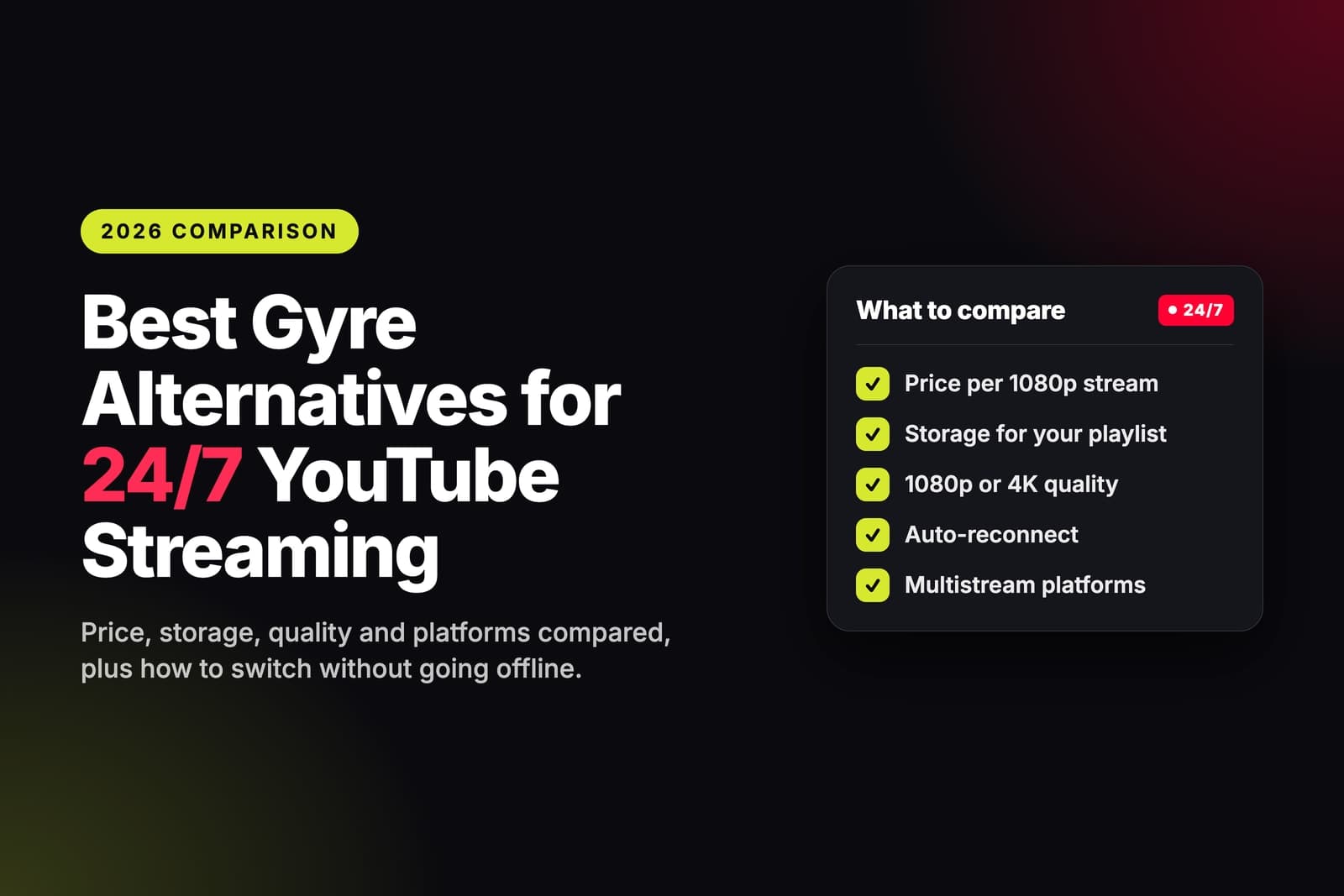
What to look for in an alternative
- True 24/7 looping on the plan you buy, not hourly credits or an add-on.
- Price per stream at the resolution you actually use.
- Storage big enough for your whole playlist.
- Automatic reconnect when YouTube or another platform drops the connection.
- YouTube controls such as title, description, thumbnail and privacy without leaving the tool.
- Multistreaming if you want the same loop on more than one platform.
Gyre alternatives compared
- Gyre — Entry price: $49/month · Entry plan: 1 Full HD stream · Storage on entry plan: 35 GB · 4K: from $99/month · Computer must stay on: no · Yearly discount: 17%
- StreamHouse — Entry price: $19/month · Entry plan: 1 stream at 1080p · Storage on entry plan: 150 GB · 4K: from $49/month · Computer must stay on: no · Yearly discount: 20%
- OBS on your computer — Entry price: free software · Entry plan: limited by your PC · Storage: your own disk · 4K: needs a strong PC · Computer must stay on: yes · Yearly discount: –
- Your own cloud server — Entry price: monthly server bill · Entry plan: limited by the server · Storage: server disk · 4K: needs a GPU server · Computer must stay on: no, but you maintain the server · Yearly discount: depends on the host
1. StreamHouse: best overall Gyre alternative
StreamHouse is a cloud tool for running pre-recorded videos as nonstop live streams. You upload your files once, put them in a playlist, connect your channel and start the stream. It keeps running from StreamHouse's servers, so your computer can be off.
Pricing: Starter $19/month (1 stream, 1080p, 150 GB storage), Growth $39/month (3 simultaneous streams, 300 GB), Pro $69/month (7 simultaneous streams, 500 GB). 4K starts at $49/month. Yearly billing takes 20% off. Current plans are on the StreamHouse pricing page.
What stands out
- 24/7 looping on every plan, with no hour cap.
- Videos are encoded once when you upload, so nothing is re-encoded while you are live.
- Sign in with Google and StreamHouse creates the YouTube broadcast for you, with title, description, thumbnail, privacy and the made-for-kids setting on one screen. Pasting a stream key works too.
- Multistreaming built in: the same stream can also go to Twitch, Kick, Rumble, Facebook, TikTok, X, LinkedIn, Steam or any custom RTMP/SRT server.
- The stream is relaunched automatically if a platform drops it.
- Recording protection ends the YouTube broadcast at an hour you choose (1 to 11) so YouTube saves a replay, then continues in a new broadcast.
- Start and stop times, team access with roles, and no watermark.
What to know
- It plays video files: no webcam, scenes or live overlays. For a live show with a camera, OBS is still the right tool.
Best for: lofi and music radios, sleep and ambient channels, rebroadcasts and anyone running several 24/7 channels at once.
2. OBS on your own computer: best free way to test
OBS Studio is free. Add a VLC Video Source with your videos, tick Loop Playlist, paste your YouTube stream key and start streaming. It is a good way to see whether a 24/7 channel works for you before paying for anything.
What to know
- The computer, OBS and your internet connection must stay on day and night.
- A Windows update, a power cut or a router restart ends the stream, and OBS does not restart itself after a crash.
- Your CPU or GPU encodes video the whole time, which adds noise, heat and electricity cost.
Best for: a test run or a weekend stream.
3. Your own cloud server: for people who run servers
You rent a virtual server, install OBS or FFmpeg, upload your videos and run the loop remotely. Your home computer is out of the picture, but you become the system administrator.
What to know
- The server needs enough CPU, or a GPU, to encode video nonstop.
- You handle updates, disk space, security and remote access yourself.
- You need your own watchdog script to restart the stream when it fails.
Best for: developers who already manage Linux servers and want full control.
When staying on Gyre makes sense
If your setup already works and you rely on Instagram or Mixcloud as destinations, Gyre lists both. Whatever you choose, check that every platform you need is covered before you switch.
How to switch from Gyre to StreamHouse without going offline
- Collect your original video files. Use the same files you uploaded to Gyre, all at one resolution and frame rate.
- Upload them to StreamHouse and build the playlist in the same order.
- Run a short test as an unlisted stream to check the picture and sound.
- Stop the stream on Gyre. YouTube accepts one encoder per stream key, so two tools must not send to the same key at the same time.
- Start the stream on StreamHouse as public, either through your connected channel or with the same stream key.
- Check the stream in YouTube Studio, then cancel the old plan before its next billing date.
The gap between steps 4 and 5 is usually under a minute. If you started a new broadcast, it has a new watch URL, but your channel's live tab always shows the stream that is currently running.
FAQ
What is the cheapest Gyre alternative for 24/7 YouTube streaming?
OBS on your own computer has no software cost, but your computer must stay on. Among cloud tools that keep streaming while your computer is off, StreamHouse starts at $19/month for one 1080p stream, compared with $49/month for Gyre's first plan.
Does StreamHouse support 4K like Gyre?
Yes. 4K starts at $49/month, compared with $99/month on Gyre. The $19 Starter plan streams at 1080p.
Can I keep my YouTube stream key when I switch?
Yes. Paste the same key into StreamHouse after you stop the stream on Gyre. You can also connect your channel with Google instead, and StreamHouse creates the broadcast for you.
Can I stream the same loop to Twitch or Kick as well?
Yes. StreamHouse can send one stream to YouTube, Twitch, Kick, Rumble, Facebook and other platforms at once from the cloud.
Will a 24/7 stream save a replay on YouTube?
Only if the broadcast runs for less than 12 hours. StreamHouse's recording protection ends the broadcast at an hour you choose so YouTube saves it, then carries on in a new broadcast.
Summary
Gyre does the 24/7 job. If you want a lower price for a 1080p stream, more storage, cheaper 4K, or several channels at once, StreamHouse covers the same 24/7 job from $19/month. OBS on your own computer remains the free way to test the idea, and a self-managed server fits people who already run servers. For the full setup, see how to stream pre-recorded videos on YouTube 24/7, and for a wider comparison, see the best 24/7 YouTube live streaming tools.
Prices checked on October 5, 2026.