English
 Español
 Português (BR)
 Deutsch
 Français
 Italiano
 Türkçe
 Bahasa Indonesia
 Русский
 日本語
日本語 한국어
한국어 Українська
 Tiếng Việt
 Polski
 Nederlands
 ไทย
ไทย Română
 简体中文
简体中文 繁體中文
繁體中文 العربية
 Български
 Filipino
 हिन्दी
 اردو
اردو বাংলা
বাংলাHoliday Product Photography Without a Reshoot: Q4 Playbook
Q4 visuals must exist months before anyone feels festive. How brands that win peak rebuild the mood around catalog cutouts instead of booking a second shoot.
- holiday product photography
- ecommerce
- Q4 marketing
- seasonal marketing
- product photos
- background removal

Holiday product photography has a cruel deadline: by the time it feels natural to think about it, it's already too late to use it well. The visuals that carry a Q4 campaign need to exist months before anyone is in a festive mood — while your competitors are still telling themselves there's plenty of time.
The good news: the brands that win Q4 rarely reshoot anything. They take the catalog photography they already have, lift the products out, and rebuild the mood around them. One clean shoot in spring becomes cozy in November, festive in December, and minimal again in January.
This is the playbook for doing exactly that — with deadlines, compliance guardrails, and the swap-back discipline nobody talks about.
Why Holiday Product Photography Starts in Early Fall
Three clocks are running against you, and none of them care that it's still beach weather.
Ad creative lead times — Paid campaigns need creative uploaded, approved, and tested in every display ad size before the expensive weeks arrive. If your first festive ad launches the week of Black Friday, you're A/B testing on your priciest traffic of the year. A fall launch buys you weeks of cheap learning first.
Marketplace content slowdowns — Major marketplaces get protective near peak. Listing edits can take longer to process, review queues stretch, and some platforms limit or delay certain changes during the busiest weeks. Exact dates shift every year, so check each platform's current official guidelines — then plan to be done well before them.
Everyone else's calendar — Email sends, social posts, and store banners get scheduled in October. If the assets aren't ready, your holiday campaign becomes a January retrospective titled "next year we'll start earlier."
Working backward, "ready by early fall" isn't paranoid. It's just math.
Build Every Holiday Look From Photos You Already Have
Here's the part that saves the reshoot budget: your existing catalog shots contain everything you need. Run each shot through remover.bg, and the AI lifts the product cleanly off its background — including tricky edges like fur trim, ribbon, and stray fibers. Now you have cutouts you can place on anything.
From one set of cutouts, build three seasonal looks in the editor:
- Cozy — warm wood, soft knits, low golden light. Perfect for October and November email headers.
- Festive — deep greens and reds, twinkle-light bokeh. Your December social feed, sorted.
- Gift-ready — wrapping paper, ribbon, kraft-and-twine textures for gift-guide placements.

Drop each cutout onto its new scene, add a realistic shadow so the product sits naturally, and export. The full walkthrough lives in our guide to adding a new background, and if you want the strategic case for owning your backdrops instead of renting studio time, read why custom backgrounds are the future of product photography.
Keep the Main Marketplace Image Boring (On Purpose)
Marketplace main-image rules do not take holidays off. Amazon still wants a clean product on pure white, and a snowflake-covered hero image is a fast way to get flagged during the exact weeks you can least afford it. Our breakdown of Amazon's product image requirements covers the details.
So split your assets into two lanes:
- Compliant lane — main marketplace images stay clean, white, and rule-abiding all year.
- Seasonal lane — your own store, social posts, email campaign images, and ads get the festive treatment freely.
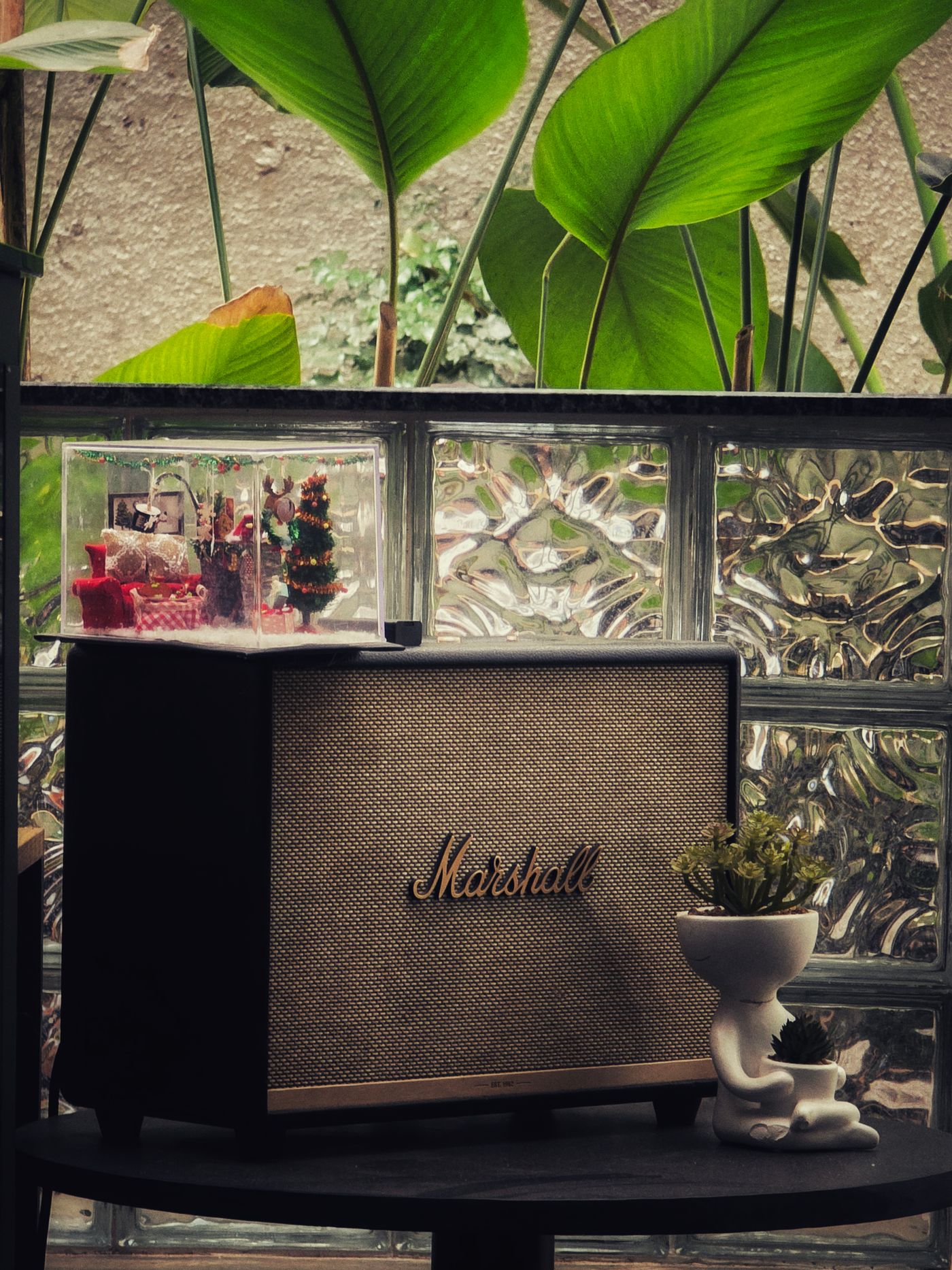
Same cutout, two lanes. The marketplace algorithm sees compliance; your customers see holiday spirit everywhere else. Bonus move: those same cutouts make excellent custom greeting cards for customer thank-yous and gift-with-purchase inserts.
Schedule the Swap-Back Before You Deploy
The least glamorous part of holiday product photography is January 2nd. Nothing says "nobody's home" like tinsel in your email header in February.
- Name files ruthlessly — suffix seasonal exports (
speaker-hero-holiday-2026.png) and keep the originals untouched in a separate folder. - Log every placement — keep a simple checklist of where each seasonal asset went: store banner, email template, pinned post, ad set.
- Set the calendar reminder now — the swap-back date goes in the calendar the same day the swap-in does.
A few minutes of logging in October saves a scavenger hunt in January.
One Shoot, Every Season
Holiday product photography in 2026 isn't a photography problem — it's an assembly problem. Shoot once, cut out once, and re-dress your products for every season from the same files: cozy for fall, festive for December, fresh and minimal for the new year.
Start now, while it's quiet. Your cutouts are already sitting inside the catalog photos you own; by the time competitors are scrambling to book a November studio slot, you'll be scheduling posts and adjusting bids. That's the whole edge.