 English
 Español
 Português (BR)
 Deutsch
 Français
 Italiano
 Türkçe
 Bahasa Indonesia
 Русский
 日本語
 한국어
 Українська
 Tiếng Việt
 Polski
 Nederlands
 ไทย
 Română
 简体中文
 繁體中文
 العربية
 Български
 Filipino
 हिन्दी
 اردو
 বাংলা
Why Straps, Cables and Stems Vanish From Your Cutout
Charger leads, chains and stems drop out while the rest cuts cleanly. Check on a dark background first: a pale cable on a white page is often still there.
- background-removal
- product-photography
- troubleshooting
- transparent-png
- photo-editing
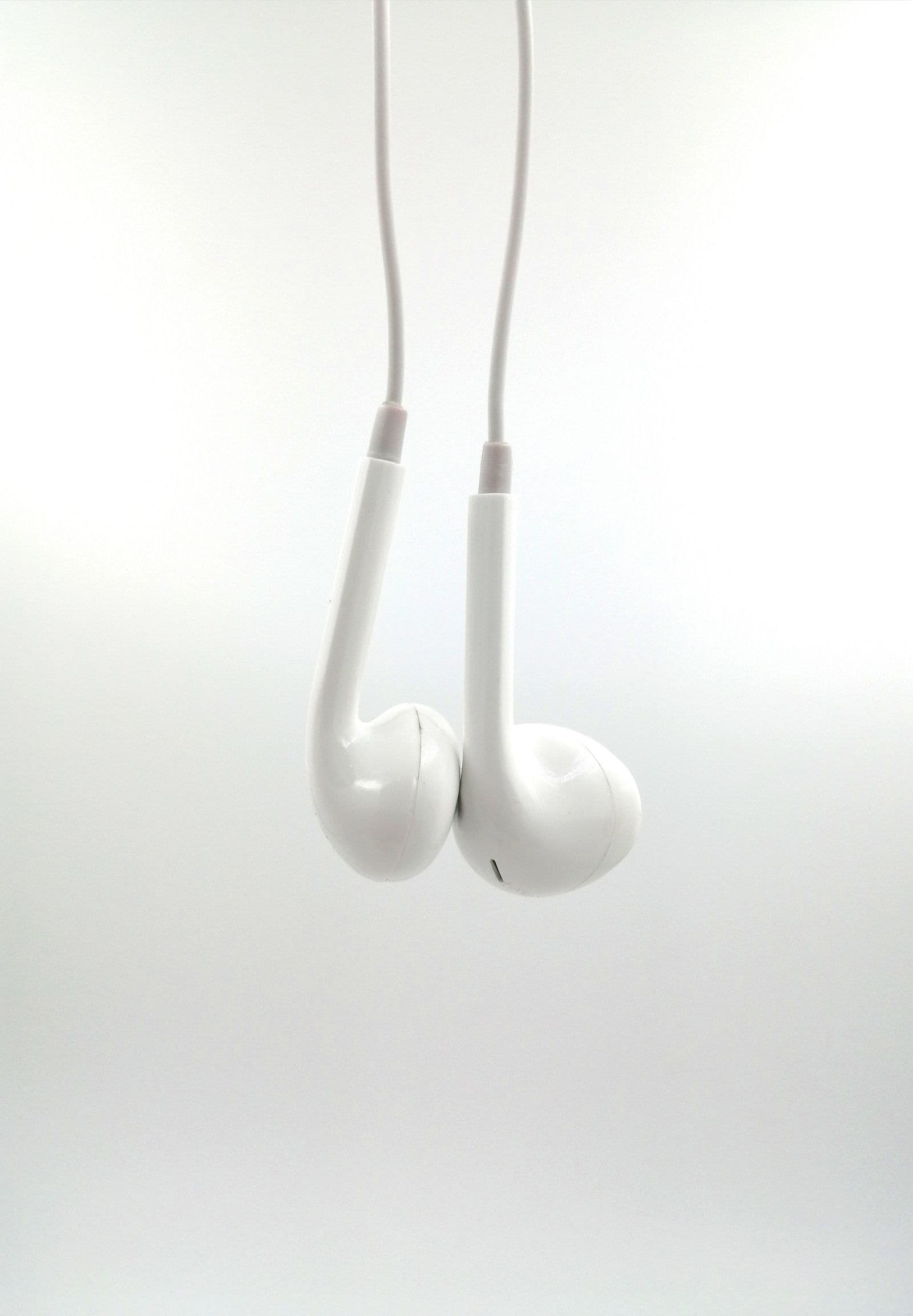
You upload a pair of wired earbuds. The buds come out clean and sharp, and the cable between them is not there. The pendant survives and the chain does not. The leaves are fine and the stems are floating fragments.
It is usually one of two problems with opposite fixes: either the thin part really was removed, or it is still in the file and invisible — a pale one-pixel-wide object on a white page.
Diagnose first, repair second, reshoot last.
Gone, or Just Invisible Against White?
Put something dark behind the cutout first. A transparent PNG carries no background of its own: the PNG specification stores per-pixel transparency in an alpha channel, and whatever opens the file decides what to show behind it — usually the page, usually white. A white charger lead on a white page is present, exported, and invisible.

In the editor, set the background to a solid mid-gray or a dark tone. Then download the result and open it at full size — the canvas is a fitted preview, not a 1:1 view of the file.
- The cable reappears against gray. Nothing was lost — pick a listing background that keeps it visible.
- It is still absent, or broken into dashes and dots. The part was genuinely dropped.
Why a Thin Part Disappears in the First Place
In your file, a fine chain or a guitar string may be one or two pixels wide. Every one of those pixels is a mixture: part object, part whatever sits behind it. The recorded color lands between the two, and when part and backdrop are close in tone it lands near the backdrop — so nothing in the file reads as a separate object any more.
Lens softness, camera shake and heavy compression all widen that blend, which is why a borderline thin part is the first thing to go when a photo gets re-saved.
This is not the hair problem. A strand of hair is thinner than a pixel over thousands of strands at once, so its edge is partial opacity nearly all the way through, which is its own discipline — see how hair and fur get cut out. A charger lead is fully opaque, just small, which makes it a relative of jagged cutout edges.
Feed It a Better File Before You Give Up
If the part is genuinely gone, the next move is a better input, not a better tool.
- Go back to the camera original. A copy that came back through a chat thread has usually been recompressed on its way there and back, unless it was sent at HD quality or as a file — and recompression is what smeared the thin part.
- Don't shrink it first. Downsizing to "save space" is the edit that most reliably destroys a one-pixel part, and a crop after the fact removes pixels rather than adding them — most phone JPEGs fit under the 25 MB ceiling as they are.
- Upload the largest clean version you have. Re-run it through remover.bg as PNG, JPG or WebP; an iPhone HEIC file has to be converted first, because it is not an accepted input.
One honest limit: nothing in the pipeline invents detail. There is no upscaling and no generative fill, so if the cable was never really captured, no re-run will recover it. Then it is a reshoot, not a repair — drawing the missing part back in puts something in a listing photo that the camera never recorded.
Capture Choices That Keep Thin Parts Alive
Three decisions on the next shoot do most of the work.

Give the thin part a tone the backdrop does not share. A black cable on a white sweep survives; a white cable on a white sweep is a coin toss. With light and dark parts in the same shot, mid-gray separates both.
Keep it off the surface it rests on. A chain lying flat on a table has contact shadow on one side and nothing on the other. Lifting or draping it so a little backdrop shows on both sides gives the edge something to be — the same logic behind backdrop setup for bicycles, where every gap between the spokes shows the driveway.
Make sure the far end is in focus. Cables and stems run away from the camera, so the tip can fall outside the sharp zone while the body stays crisp. Lay the thin part across the frame rather than into it. For small, fiddly subjects the jewelry photography guide applies directly.
When a Reshoot Beats a Repair
If the part was defocused, motion-blurred or tonally identical to the backdrop at capture, no second upload changes that. Shooting it again is faster than any repair worth trusting.

There is a listing argument too. Google's Merchant Center requirements for the image link attribute currently tell sellers to "accurately display the entire product" — and earbuds whose cable is missing are not quite the product in the box. Platform rules move, so check the current wording.
Check the Thin Parts First
Make it a habit at export: drop the cutout onto a background that contrasts with the thinnest element, then inspect the extremities rather than the outline. Straps, leads, hooks and stems are where cutouts fail, and a white page will never show you.